

Identifying critical AWS security issues with Prowler and Security Hub (Part 1)

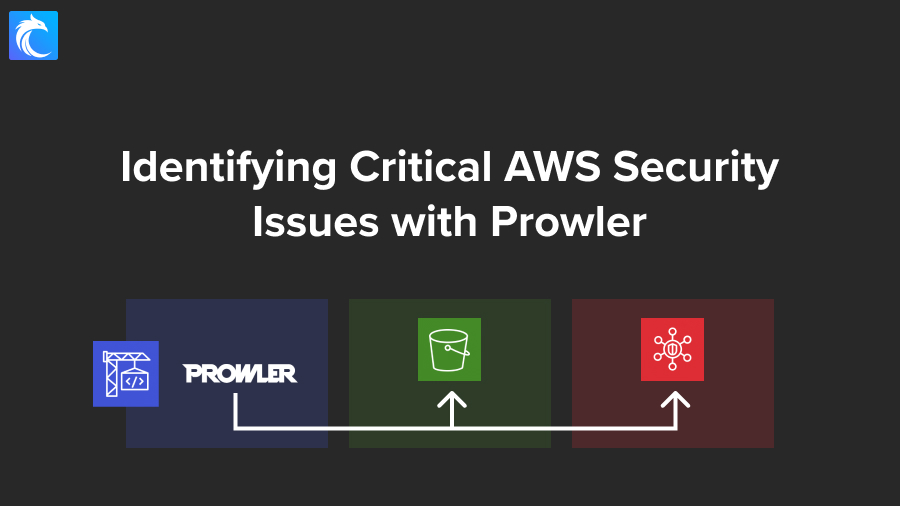
This project will teach you from start to finish how to set up Prowler to push findings to Security Hub in AWS.

A few months back, I hosted a webinar with Victoria Shutenko, a security engineer and web app pentester, because she created this cool project that automated the entire process. This walkthrough follows her project with a few small modifications. If you’re interested, here’s a replay of our live training session.
Prefer videos instead? Here you go:
The architecture
To build this out, we need to use 4 AWS services:
- Security Hub – for findings to be collected in a central security tool
- Amazon S3 – to store output files
- CodeBuild – to run Prowler without needing to manage servers
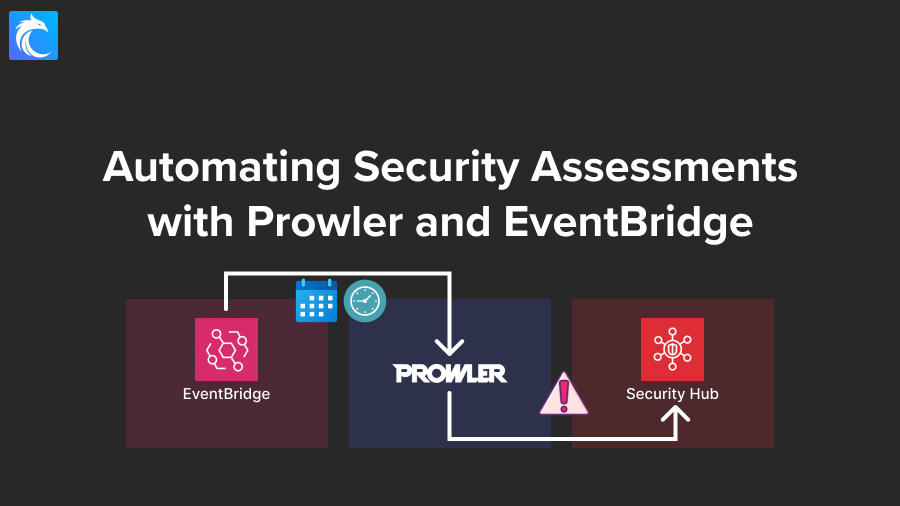
- EventBridge – to run on a schedule; though I won’t show that part in this video, we’ll just focus on the other parts
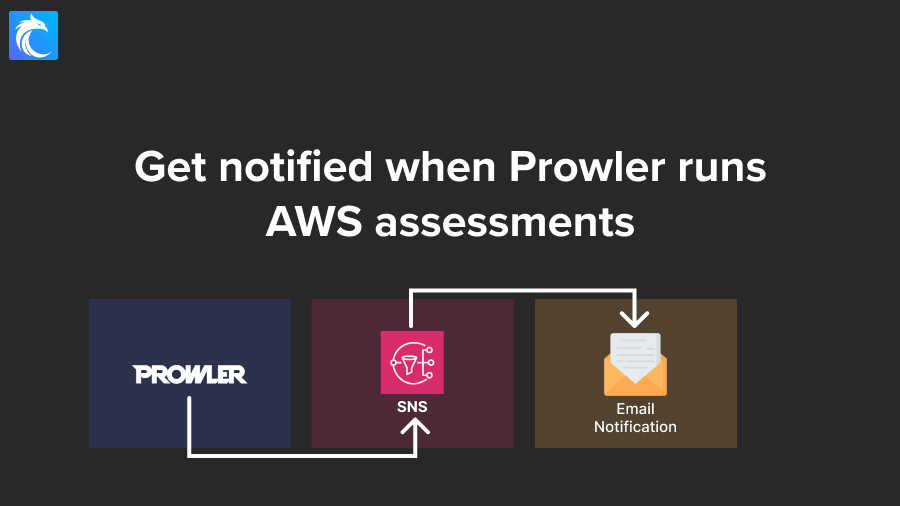
Optionally, you can also use SNS to send notifications whenever a scan finishes running, and you can use QuickSight to visualize results.

Using CodeBuild for this is a big advantage over EC2 because the cost is going to be tiny since you probably won’t run this more frequently than every few weeks or months.
Steps
The steps that we’ll take in this project include:
- Enabling the Security Hub Prowler integration
- Grabbing the project code and configure it
- Setting up CodeBuild
- Verifying it all works

Final architecture
This is what our final architecture will look like, minus EventBridge and Slack — which I’ll cover how to enable in another post (but I also encourage you to set it up yourself as a great learning opportunity!).

Let’s get started!
Turn on Security Hub integration with Prowler
First, let’s head over to Security Hub. If you don’t already have it enabled in your account, you’ll need to do that. Typically, to effectively use Security Hub, you need to also enable AWS Config. This is up to you as it should still work fine without it for this specific use case, but usually the two work together.
Enabling both services is super easy and I have other content showing how, so I’ll assume you’ve taken care of that part.
Once you have it enabled, then head over to Integrations in the left menu.

Search for Prowler, and then click on Accept findings.


Downloading the project code
With that done, let’s move on to download the project code from GitHub. By the way, I’ve also created a clone of this project that is the final outcome of this video, so if you want you can check that out here.
But if you’re following along I recommend downloading Victoria’s project instead since that’s the starting point

Then open the directory in your favorite code editor. I’ll use VS Code.
Reviewing the code
Let’s start by looking at the buildspec.yml file because this is where most of the magic happens.
This file gets directly used by CodeBuild, so this is how we configure what we want to happen.
From this we can tell that we’ll be using Python version 3.11, and we’ll start by running these commands to install prowler:
- echo "Installing Prowler and dependencies..."
- pip3 install prowler
- prowler -v
Code language: PHP (php)
Then, the build stage will run the following commands:
- echo "Running a single account scan."
- echo "Running Prowler as prowler $PROWLER_OPTIONS --role arn:$AWS_PARTITION:iam::$AWS_ACCOUNT_ID:role/service-role/$PROWLER_ROLE"
- prowler $PROWLER_OPTIONS || true
Code language: PHP (php)
Those options (shown with $) you see will get injected from environment variables, and we can see an example in env_examples.txt.
I’m going to make a slight modification to the echo command by removing the --role part since the role will be inherited from CodeBuild itself:
- echo "Running Prowler as prowler $PROWLER_OPTIONS
Code language: PHP (php)
After the build, we’ll run these commands:
- echo "Uploading reports to S3..."
- aws s3 cp --exclude "*" --include "*.ocsf.json" output/ s3://$BUCKET_REPORT/ocsf-json/ --recursive
- aws s3 cp --exclude "*" --include "*.json" --exclude "*.ocsf.json" --exclude "*.asff.json" output/ s3://$BUCKET_REPORT/json/ --recursive
- aws s3 cp --exclude "*" --include "*.asff.json" output/ s3://$BUCKET_REPORT/asff-json/ --recursive #The commands are well-structured to handle multiple formats of Prowler outputs. Ensure the paths and bucket names are correct and that the IAM role associated with the CodeBuild project has the necessary permissions to write to these S3 buckets.
- >-
        echo "Calculating CIS Compliance Percentage..." &&
        python calculate_compliance.py prowler_output.json &&
        curl -X POST "$SLACK_WEBHOOK_URL" -H 'Content-Type: application/json' --data "{\\"text\\": \\"Prowler Scan Results\\", \\"blocks\\": [{\\"type\\": \\"section\\", \\"text\\": {\\"type\\": \\"mrkdwn\\", \\"text\\": \\"*Prowler CIS Compliance Report*\\\\nCIS Compliance Percentage: `$CIS_COMPLIANCE_PERCENT`%\\\\nCheck the detailed results in *AWS SecurityHub*: <https://console.aws.amazon.com/securityhub/home?region=$AWS_REGION#/dashboard>.\\"}}]}"
      #The Slack notification command is designed to execute after checking that the $SLACK_WEBHOOK_URL is set. Consider adding a condition to handle the scenario where this variable might not be set.
- echo "Importing findings to SecurityHub..."
- echo "Done!"
Code language: PHP (php)
We have a few S3 cp commands which will upload output files to S3, as well as some echo statements and a call to a slack webhook URL.
I’m not interested in push notifications to Slack so I’ll delete this line:
&&
curl -X POST "$SLACK_WEBHOOK_URL" -H 'Content-Type: application/json' --data "{\\"text\\": \\"Prowler Scan Results\\", \\"blocks\\": [{\\"type\\": \\"section\\", \\"text\\": {\\"type\\": \\"mrkdwn\\", \\"text\\": \\"*Prowler CIS Compliance Report*\\\\nCIS Compliance Percentage: `$CIS_COMPLIANCE_PERCENT`%\\\\nCheck the detailed results in *AWS SecurityHub*: <https://console.aws.amazon.com/securityhub/home?region=$AWS_REGION#/dashboard>.\\"}}]}"
Code language: JavaScript (javascript)
It would be nice though to get notified via email through SNS, but I won’t show that in this video.
I’m also going to remove these lines:
- >-
  echo "Calculating CIS Compliance Percentage..." &&
  python calculate_compliance.py prowler_output.json
Code language: CSS (css)
Because it doesn’t seem to be working quite right at the moment and needs modifications with the output file names and this video is already going to be quite lengthy so we won’t have time to troubleshoot that.
If you’re interested though you can check out the file being referenced named calculate_compliance.py which is a Python script that looks for the number of checks that passed in order to calculate a compliance score.
Extract_percentage.py
There’s also an extract_percentage.py file but it’s not referenced anywhere including in the README so I don’t think it’s being used in this project right now. That was added in the latest commit so I think that’s a new feature they started working on but didn’t fully implement.
Multi_account_scan_config.yml
We have a multi_account_scan_config.yml file that we can use if we want to run this across multiple accounts, which we won’t show in this video but let me know if that’s of interest.
env_examples.txt
Finally, we have that env_examples.txt file that shows us an example of environment variables we can set.
This include the S3 bucket we want to upload our reports to, specific prowler options & arguments we want to issue, the Prowler role we want to assume, whether we want to run multi account, the regions, and the slack webhook URL.
We’ll talk about this more in a little bit.
Uploading this code
OK so we’ve reviewed the code and made a couple of modifications, now let’s upload it to CodeBuild.
S3 bucket for the project
To start, we need to upload our project files to Amazon S3, or you could also connect to GitHub or GitLab and integrate that way, but I’ll use S3.
We’ll need to create a new bucket, and I’ll name mine prowler-codebuild-cybr, but of course, you’ll need to use a unique name.
Everything else can remain default for our demo.
After creating your bucket, go ahead and upload either the entire project or, at a minimum, the buildspec.yml file.
Even if you’re just uploading one file like I am, go ahead and compress it into a .zip archive and then upload that archive.
We’ll then create a second bucket and I’ll name it prowler-scan-reports-cybr. This is the bucket we’ll use to dump our results.
CodeBuild configuration
Let’s navigate over to CodeBuild and go to “Getting started.”

Click on “Create Project”
For the project name, I’ll use ProwlerScans.
For the source, you can use whatever you would like, but I’ll select Amazon S3, and then I’ll select the bucket we just created.
For the S3 object key or folder, enter the name of the zip archive file you uploaded. Mine was code-files.zip.

For the Buildspec settings, select Use a buildspec file and then type in buildspec.yml. This is the file we uploaded previously.

Unless you’ve used CodeBuild before in this account, you will need to generate a new service role, so select that option and leave the default role name unless you want to change it to something else.

Open up Additional configuration under the Environment section. We’ll leave everything default, except we need to add in environment variables.
To know which ones to add, you need to reference the env_examples.txt file. The ones I’m interested in are:
- BUCKET_REPORT=
prowler-scan-reports-cybr - PROWLER_OPTIONS=
aws --compliance cis_1.4_aws --security-hub --region us-east-1 --log-level ERROR(that will run the CIS1.4_aws compliance checks, but Prowler offers many more) - MULTI_ACCOUNT_SCAN=
false
These can be stored in plaintext since they’re not secret values.

Go ahead and spend a couple of minutes reviewing other options, but I’ll leave the defaults for everything else.
Then create your project.
Updating the IAM Role
Next, we need to update permissions for the service role that was just created for us.
Now, normally, I would probably create a separate IAM role that Prowler would then assume in order to do its thing. I like to keep service roles separate, because I like for the service role to only worry about the CodeBuild project itself, while my separate role is only worried about the Prowler execution. But to save some time, we’ll update the service role.
Navigate to IAM, then Roles and search for codebuild. It should show you a role name like this: codebuild-ProwlerScans-service-role or something similar. Select it and then click on Add Permissions → Attach policies.

For the permissions policies, we need to select the SecurityAudit policy which is the recommended one for Prowler to run a successful scan.
We also need to give it access to upload to S3 and talk to Security Hub, and I would recommend creating a custom policy that provides least privilege. For the sake of time, I’ll give AmazonS3FullAccess and then we’ll create a separate policy for Security Hub access, but again, this should only be a starting point and you should really customize it for S3.
Go ahead and add these selected policies to the role.

We now need to add 2 more policies. The first one is going to catch some services and actions that aren’t included in the SecurityAudit managed policy, and the 2nd is to enable prowler to talk to Security Hub.
So let’s click on Add permissions and this time click on Create inline policy. Switch to the JSON editor instead of visual, and copy/paste the following (grabbed from here):
{
  "Version": "2012-10-17",
  "Statement": [
    {
      "Action": [
        "account:Get*",
        "appstream:Describe*",
        "appstream:List*",
        "backup:List*",
        "backup:Get*",
        "bedrock:List*",
        "bedrock:Get*",
        "cloudtrail:GetInsightSelectors",
        "codeartifact:List*",
        "codebuild:BatchGet*",
        "codebuild:ListReportGroups",
        "cognito-idp:GetUserPoolMfaConfig",
        "dlm:Get*",
        "drs:Describe*",
        "ds:Get*",
        "ds:Describe*",
        "ds:List*",
        "dynamodb:GetResourcePolicy",
        "ec2:GetEbsEncryptionByDefault",
        "ec2:GetSnapshotBlockPublicAccessState",
        "ec2:GetInstanceMetadataDefaults",
        "ecr:Describe*",
        "ecr:GetRegistryScanningConfiguration",
        "elasticfilesystem:DescribeBackupPolicy",
        "glue:GetConnections",
        "glue:GetSecurityConfiguration*",
        "glue:SearchTables",
        "glue:GetMLTransforms",
        "lambda:GetFunction*",
        "logs:FilterLogEvents",
        "lightsail:GetRelationalDatabases",
        "macie2:GetMacieSession",
        "macie2:GetAutomatedDiscoveryConfiguration",
        "s3:GetAccountPublicAccessBlock",
        "shield:DescribeProtection",
        "shield:GetSubscriptionState",
        "securityhub:BatchImportFindings",
        "securityhub:GetFindings",
        "servicecatalog:Describe*",
        "servicecatalog:List*",
        "ssm:GetDocument",
        "ssm-incidents:List*",
        "states:ListTagsForResource",
        "support:Describe*",
        "tag:GetTagKeys",
        "wellarchitected:List*"
      ],
      "Resource": "*",
      "Effect": "Allow",
      "Sid": "AllowMoreReadForProwler"
    },
    {
      "Effect": "Allow",
      "Action": [
        "apigateway:GET"
      ],
      "Resource": [
        "arn:aws:apigateway:*::/restapis/*",
        "arn:aws:apigateway:*::/apis/*"
      ]
    }
  ]
}
Code language: JSON / JSON with Comments (json)
I’ll name the policy ProwlerAdditions and then create it.
Do that one more time, but this time paste in the following (from here)
{
  "Version": "2012-10-17",
  "Statement": [
    {
      "Action": [
        "securityhub:BatchImportFindings",
        "securityhub:GetFindings"
      ],
      "Effect": "Allow",
      "Resource": "*"
    }
  ]
}
Code language: JSON / JSON with Comments (json)
I’ll name this policy ProwlerSecurityHub.
With our permissions taken care of, let’s go back to CodeBuild.
Start build
Navigate to the project we just created, and then click on Start build and give it a few seconds to warm up.
As it starts to build, you’ll be able to see progress in the build logs.

For example, we can see those echo commands we have in our buildspec file, including that it’s installing Prowler and dependencies. This will take a little while so I’ll fast-forward.
After about a minute, you should see prowler starting its scan:

Notice the AWS credentials being used:

We have the section showing us that Prowler is executing checks:

Another section showing us how many and the type of failures per service:

and more information below that.
We can finally see how many and what files were uploaded to S3:

Viewing findings in Security Hub
Now if we navigate over to Security Hub and then “Findings” we can see what was generated by Prowler. We can filter by Product name is Prowler.
We’ve got multiple page’s worth of findings and many of them are high or medium, so we should definitely look into them and deal with them!

But there you have it! You’ve successfully integrated Prowler with Security Hub.
CloudWatch Logs
Before we wrap up, if you want to view the CloudWatch logs for your project, navigate to the CloudWatch dashboard and then go to Log groups. From there, look for something like this: /aws/codebuild/ProwlerScans though yours may be named differently if you chose a different name for your project. Click on it and then click on the log stream.
This is how you can view the output logs including if there were any errors or issues.
S3 outputs
If we navigate to S3 and look for our bucket we’re using to store results (I named mine prowler-scan-reports-cybr) we can click in and view two folders:
asff-jsonocsf-json
Clicking into those folders will give you output files you can download.
Next Steps & Conclusion
OK so we’re done…but we do have a few more action items to complete, and I’ll let you complete those on your own (I may also post tutorials for these at some point and link back when they’re ready). We need to:
- Update permissions to make them least privilege, and consider creating a separate role for Prowler to assume instead of using the service role (although that part is optional)
- Set up notifications through Slack or SNS
- Use EventBridge to run this on a schedule — like every month, for example
- If you want, you can also set up dashboards with QuickSight
- Finally but very importantly, you’d want to turn this into infrastructure as code so you can use that to deploy to a production environment

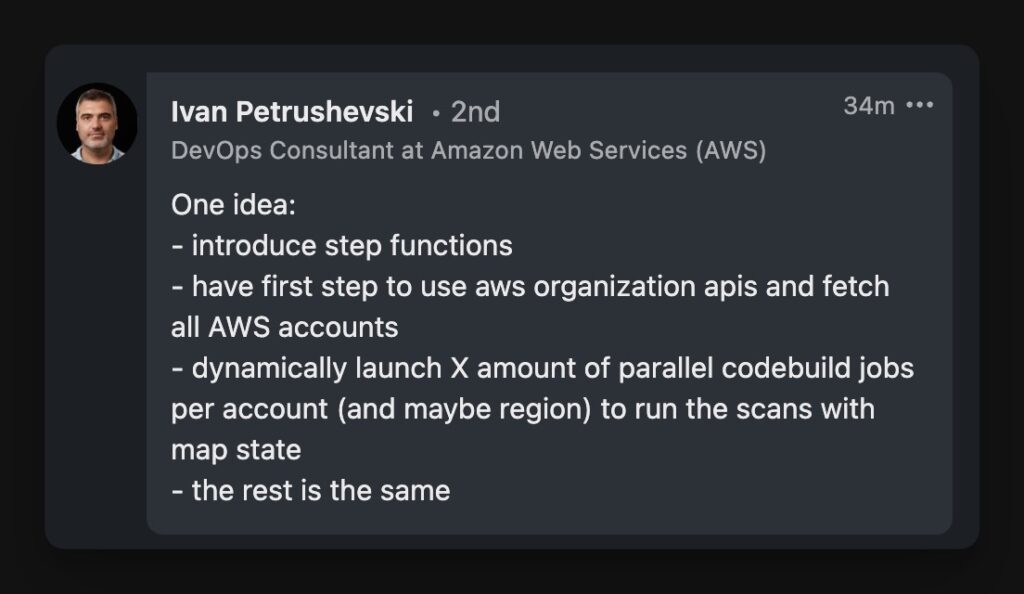
As Ivan pointed out, these would be other fantastic enhancements to consider if you’d like to challenge yourself:
I hope this project was helpful, if it was, please let me know in the comments below, and thank you for reading!
See you in part 2!
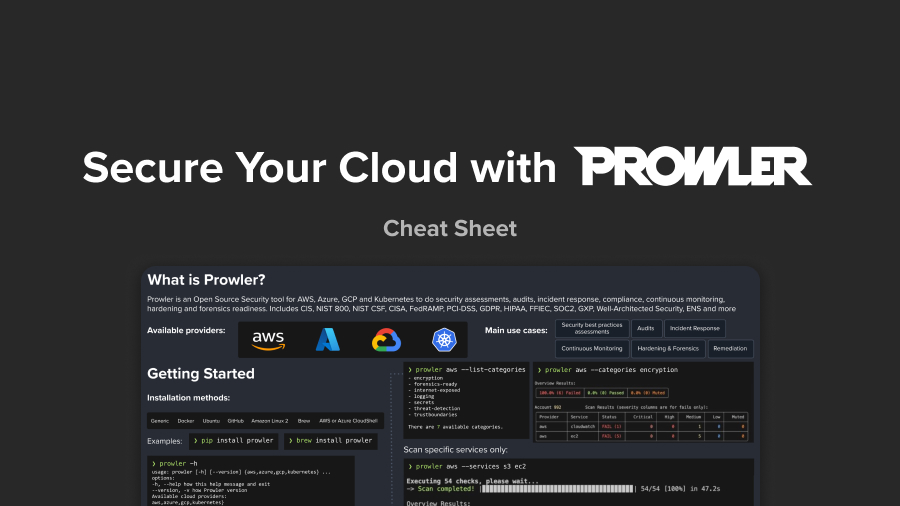
Bonus: Downloadable Cheat Sheet



This is excellent Chris, how much (ballpark) you say we have to spend per project on resources such as S3 buckets, etc?
Hard to say since there are too many variables (what checks are you running, how frequently, how many accounts, how many resources, etc). S3 storage costs though are pretty low, and you won’t have a lot of transfers. Best way to find out is to use a cost calculator like this one: https://calculator.aws/